
2.1.2.1New Modbus TCP/IP Device
This will explain how to setup SimServe to act as a single Modbus TCP/IP slave device with default settings. In just a few minutes, SimServe will be ready to simulate a Modbus slave device for any Modbus master like a SCADA system or PLC. To setup the simulation, follow the steps below.
- Launch the SimServe web interface, and click on New Network Item in the network tree.
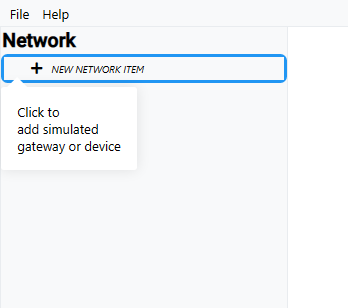
-
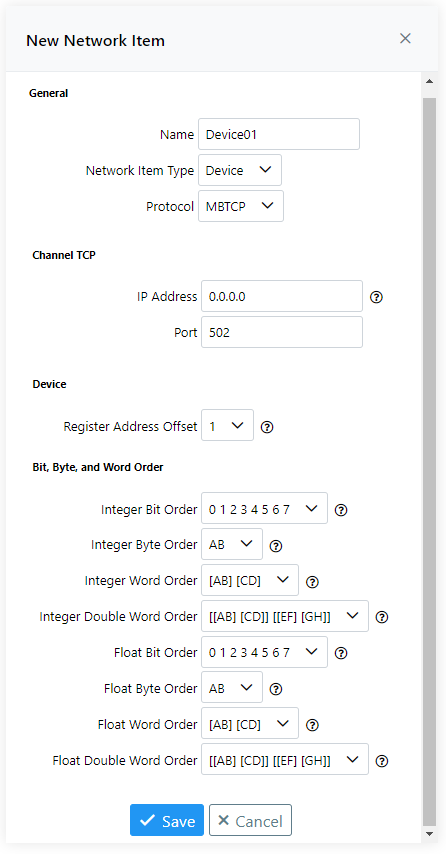
Fill out the New Network Item form as described below and click Save.
- Name — Enter any preferred name.
- Network Item Type — Select Device.
- Protocol — Select MBTCP.
- IP Address — Enter the IP address of the real device. Any IP address entered here must also be assigned to the computer's network adapter. If an IP address is used which is not assigned to the computer's adapter, the device will never receive any messages. As a shortcut, you may enter
0.0.0.0which will force the simulated device to respond to all IP addresses assigned to the computer's network adapter. - Port — Enter the TCP/IP port used for Modbus communication on the real device. Most devices use port 502 by default.
- Remaining Fields — Leave as default.
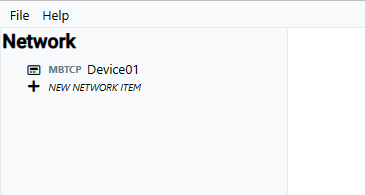
- The Modbus slave device will appear under the network tree. Double click the device to access its memory.
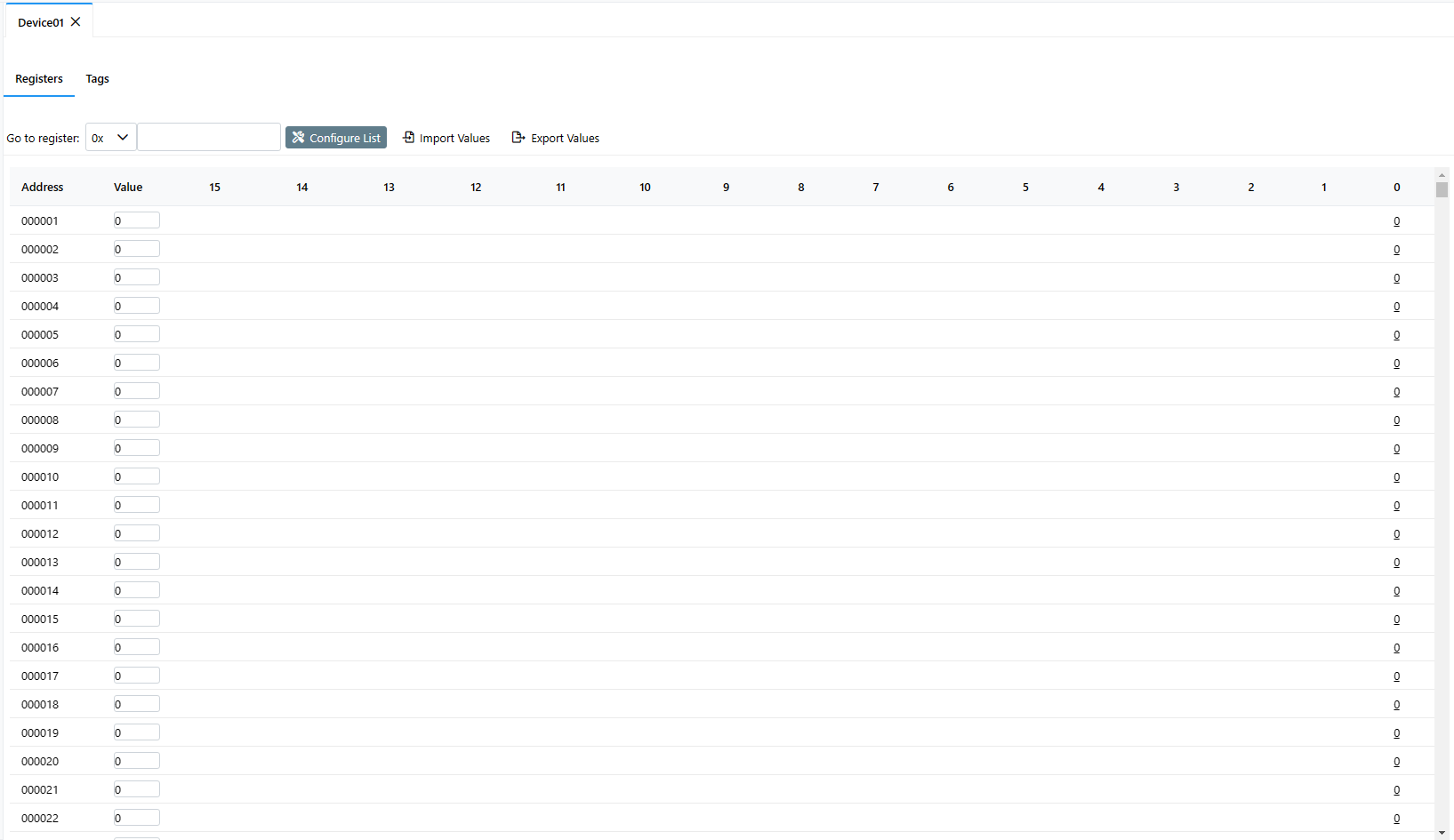
- By default, the device is configured with every possible Modbus register and its value can be modified by simply typing a new number in the value field. The value of each binary bit for the register is displayed as well, and clicking on the bit toggles its value.
SimServe is now actively simulating the Modbus device and will respond to requests from a Modbus master. Configure your Modbus master with the appropriate communication settings to connect with the device. For most Modbus masters, you'll need to enter the IP address and port that you assigned to the slave device in step 2. You may poll the Modbus slave device for any valid Modbus register.