1.3.3Export Project
To export a project to a file, follow the steps below.
-
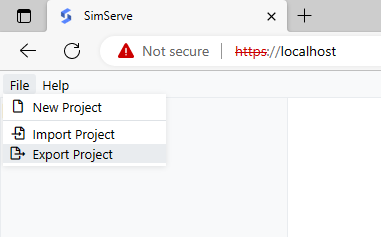
In the SimServe web interface, click on "File" in the main menu and then on "Export Project".
-
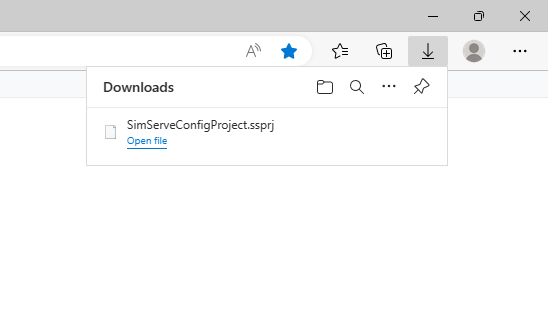
The project file will automatically be downloaded by the browser. In Microsoft Edge, the download pops up in the upper right hand corner.